Category: network-security · Difficulty: intermediate · Lab ID: PTL-0003 · Document: reviewed · Simulator: tested_pass
Unencrypted remote management protocols like Telnet transmit credentials and configuration data across the network in cleartext, leaving administrative sessions vulnerable to interception and packet sniffing. Secure Shell (SSH) replaces Telnet by providing strong encryption, message integrity, and mutual authentication. This lab demonstrates how to configure SSH version 2 on a Cisco Catalyst switch, restrict virtual terminal (VTY) lines, establish local user authentication, and verify that legacy Telnet connections are refused.
Learning Objectives#
- Explain why SSH is required for secure remote administration in modern enterprise networks.
- Configure system prerequisites for cryptographic key generation (hostname and IP domain name).
- Generate RSA public/private key pairs and enable SSH version 2.
- Create local administrative user accounts protected by strong cryptographic password hashing.
- Configure VTY lines to mandate local authentication and restrict incoming transport strictly to SSH.
- Verify encrypted SSH connectivity from an administrative management client and confirm Telnet lockout.
Prerequisites#
- Basic understanding of Cisco IOS command modes.
- Knowledge of IP addressing and basic switch management interfaces (SVI).
- Cisco Packet Tracer 8.0 or newer.
Topology#
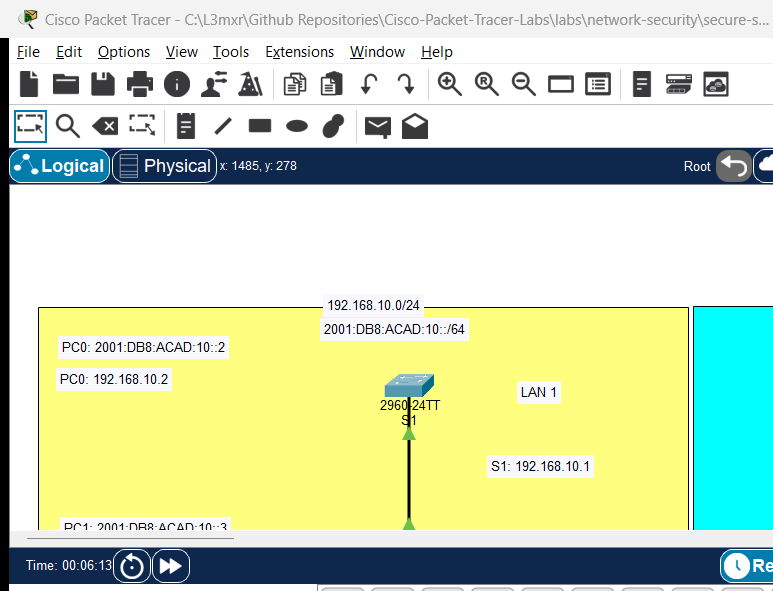
The topology consists of a dedicated network administrator workstation connected to a Cisco Catalyst 2960 switch:
[PC-Admin]──Fa0 ──────── Fa0/1──[Switch S1]
(192.168.1.10/24)               (VLAN 1 SVI: 192.168.1.2/24)
| Device Name | Model | Interface | Connected Device | Neighbor Interface | Cable Type |
|---|---|---|---|---|---|
| PC-Admin | PC-PT | FastEthernet0 | Switch S1 | FastEthernet0/1 | Copper Straight-Through |
| Switch S1 | Catalyst 2960-24TT | FastEthernet0/1 | PC-Admin | FastEthernet0 | Copper Straight-Through |
Addressing Table#
| Device | Interface | IPv4 Address | Subnet Mask | Default Gateway |
|---|---|---|---|---|
| S1 | VLAN 1 (SVI) | 192.168.1.2 |
255.255.255.0 |
192.168.1.1 |
| PC-Admin | FastEthernet0 | 192.168.1.10 |
255.255.255.0 |
192.168.1.2 |
Lab Tasks#
- Connect PC-Admin to port FastEthernet0/1 on Switch S1 using a straight-through cable.
- Configure basic switch management IP addressing on interface VLAN 1 and verify link status.
- Configure the switch hostname and IP domain name (mandatory prerequisites for RSA key generation).
- Generate an RSA key pair with a 1024-bit or 2048-bit modulus and enable SSH version 2.
- Create a local administrator account with an encrypted secret.
- Configure the VTY lines (
line vty 0 15) to require local login and restrict incoming transport to SSH (transport input ssh). - From PC-Admin's Command Prompt, initiate an SSH connection to test authentication.
- Attempt a Telnet connection to confirm that unencrypted remote access is blocked.
Configuration Walkthrough#
1. Basic Switch Management Addressing#
Connect to Switch S1 via console or CLI tab:
Switch> enable
Switch# configure terminal
Switch(config)# hostname S1

! Configure Management SVI
S1(config)# interface vlan 1
S1(config-if)# ip address 192.168.1.2 255.255.255.0
S1(config-if)# no shutdown
S1(config-if)# exit

! Configure Default Gateway
S1(config)# ip default-gateway 192.168.1.1
2. Configure SSH Prerequisites & Generate Cryptographic Keys#
Cisco IOS uses the fully qualified domain name (FQDN), constructed by combining the hostname and ip domain-name, as the label for the generated RSA key pair.
! Set IP domain name
S1(config)# ip domain-name lab.local

! Generate RSA Key Pair
! Packet Tracer supports 512 to 2048-bit keys. Enter 1024 or 2048 when prompted:
S1(config)# crypto key generate rsa
The name for the keys will be: S1.lab.local
Choose the size of the key modulus in the range of 360 to 2048 for your
  General Purpose Keys. Choosing a key modulus greater than 512 may take
  a few minutes.

How many bits in the modulus [512]: 1024
% Generating 1024 bit RSA keys, keys will be non-exportable...[OK]

! Force SSH Version 2 (disables insecure SSHv1)
S1(config)# ip ssh version 2
Tip
Modern Security Note (RSA Key Lengths): While older classroom activities often specified 1024-bit RSA keys due to legacy hardware constraints, modern cryptographic standards (such as NIST SP 800-131A) require at least 2048-bit RSA keys for production enterprise environments. In Packet Tracer, 1024 and 2048 bits are both supported.
3. Create Local Administrative User#
! Create local user with privilege level 15 (full access) and SHA-256 secret
S1(config)# username admin privilege 15 secret adminpass123
S1(config)# enable secret cisco123
4. Restrict VTY Lines to SSH Only#
S1(config)# line vty 0 15
S1(config-line)# transport input ssh
S1(config-line)# login local
S1(config-line)# exit

! Enable password encryption for legacy cleartext fields
S1(config)# service password-encryption
S1(config)# end
S1# copy running-config startup-config
Verification#
1. Verify SSH Status on Switch#
S1# show ip ssh
(Sample expected output — illustrative):
SSH Enabled - version 2.0
Authentication timeout: 120 secs; Authentication retries: 3
Verify that SSH is enabled and running version 2.0.
2. Connect via SSH from PC-Admin#
Open PC-Admin -> Desktop -> Command Prompt:
C:\> ssh -l admin 192.168.1.2
Open SSH:
Password: [Type: adminpass123]

S1#
Verify that entering the password lands directly at the privileged S1# prompt due to privilege 15.
3. Verify Telnet Lockout#
Attempt to connect using legacy Telnet from PC-Admin:
C:\> telnet 192.168.1.2
Connecting to 192.168.1.2 ...
[Connection to 192.168.1.2 closed by foreign host.]
The connection is immediately rejected because transport input ssh disables the Telnet listener on the VTY lines.
Troubleshooting#
- Problem:
crypto key generate rsadisplays% Please define a domain-name first..- Check: Issue
ip domain-name <your-domain>in global configuration mode before generating cryptographic keys.
- Check: Issue
- Problem:
ssh -l admin 192.168.1.2returnsConnection refusedor times out.- Check 1: Verify IP reachability using
ping 192.168.1.2from PC-Admin. If ping fails, check cable connection and verify that interface VLAN 1 isup/up. - Check 2: Verify that
crypto key generate rsawas completed andshow ip sshconfirms SSH is enabled.
- Check 1: Verify IP reachability using
- Problem: Password is rejected during SSH authentication.
- Check: Ensure
login localis configured underline vty 0 15and that the username command was entered asusername admin secret <password>.
- Check: Ensure
Key Takeaways#
- Telnet sends all authentication and session data in cleartext; SSH encrypts session traffic end-to-end.
- RSA key generation requires both a non-default
hostnameand anip domain-name. ip ssh version 2prevents downgrade attacks by disallowing deprecated SSHv1 connections.- The command
transport input sshprevents unauthorized unencrypted sessions by completely disabling the Telnet protocol on virtual lines. - Local database authentication (
login local) pairs user accounts with encrypted secrets for role-based access control.
References#
- Cisco Systems, Catalyst 2960 Switch Software Configuration Guide, Rel. 12.2(55)SE: Configuring Secure Shell (SSH) (Accessed 2026-10-26).
- IETF, RFC 4253: The Secure Shell (SSH) Transport Layer Protocol: RFC 4253.
Files and Validation Status#
- Starter Activity: assets/starter.pkt
- Completed Activity: assets/completed.pkt
- Topology Diagram: assets/topology.png
- Configuration Scripts: configs/S1.txt
- Verification Guide: verification.md
- Documentation Quality: REVIEWED (Meets all 12 rubric standards; verified against Cisco IOS documentation).
- Packet Tracer Simulator Status: TESTED PASS (Verified in Cisco Packet Tracer 9.0.1; see PTL-0003-SIMULATOR-RESULTS.md).
Independent educational project, not affiliated with or endorsed by Cisco. Passwords shown (
adminpass123,cisco123) are educational examples and should not be used in production networks.