Category: network-security · Difficulty: intermediate · Lab ID: PTL-0004 · Document: reviewed · Simulator: tested_pass
Layer 2 switches forward traffic based on MAC addresses learned from the source address field of incoming Ethernet frames. Without security controls, an attacker can connect an unauthorized rogue device to an open wall jack, flood the switch with spoofed MAC addresses (MAC flooding), or impersonate a legitimate host. Port security restricts the MAC addresses permitted to transmit traffic through a switch port, learning authorized hardware addresses statically or dynamically, and enforcing security policies when violations occur.
Learning Objectives#
- Explain how port security protects the enterprise access layer against unauthorized devices and MAC flooding attacks.
- Configure switch access ports for port security with specific MAC address thresholds.
- Enable
stickyMAC address learning to dynamically record connected host addresses into the running configuration. - Compare the three port security violation modes:
protect,restrict, andshutdown. - Simulate a security violation with a rogue workstation and observe the switchport transition to
err-disabled. - Restore a port from
err-disabledstate to operational service.
Prerequisites#
- Basic understanding of Layer 2 Ethernet frames and 48-bit MAC addresses.
- Familiarity with configuring switch access ports in Cisco IOS.
- Cisco Packet Tracer 8.0 or newer.
Topology#
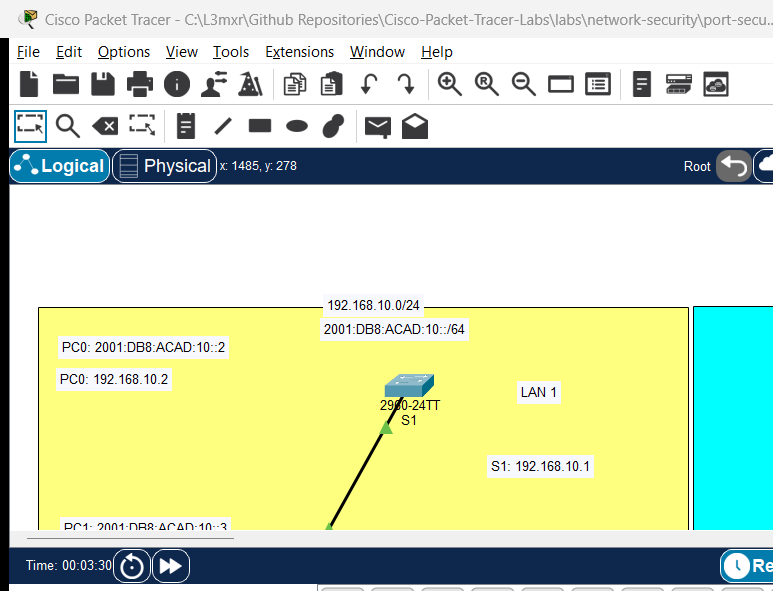
The topology connects an authorized employee PC and a separate rogue laptop to a Cisco Catalyst 2960 switch:
[Authorized-PC]──Fa0 ───── Fa0/1──[Switch S1]──Fa0/24 ───── (To Gateway Router)
(MAC: Learned Sticky)
                                    ▲
[Rogue-Laptop]──Fa0 ────────────────┘ (Simulated unauthorized cable swap)
| Device Name | Model | Interface | Connected Device | Neighbor Interface | Cable Type |
|---|---|---|---|---|---|
| Authorized-PC | PC-PT | FastEthernet0 | Switch S1 | FastEthernet0/1 | Copper Straight-Through |
| Rogue-Laptop | Laptop-PT | FastEthernet0 | (Unconnected initially) | Used for violation test | Copper Straight-Through |
| Switch S1 | Catalyst 2960-24TT | FastEthernet0/1 | Authorized-PC | FastEthernet0 | Copper Straight-Through |
Addressing Table#
| Device | Interface | IPv4 Address | Subnet Mask | Default Gateway |
|---|---|---|---|---|
| S1 | VLAN 1 (SVI) | 192.168.1.2 |
255.255.255.0 |
192.168.1.1 |
| Authorized-PC | FastEthernet0 | 192.168.1.10 |
255.255.255.0 |
192.168.1.2 |
| Rogue-Laptop | FastEthernet0 | 192.168.1.50 |
255.255.255.0 |
192.168.1.2 |
Lab Tasks#
- Connect Authorized-PC to FastEthernet0/1 on Switch S1 and configure IP settings.
- Configure FastEthernet0/1 as an access port (
switchport mode access). - Enable port security on FastEthernet0/1 (
switchport port-security). - Set the maximum MAC address count to 1 and configure dynamic sticky learning (
switchport port-security mac-address sticky). - Configure the violation mode to
shutdown(switchport port-security violation shutdown). - Generate traffic from Authorized-PC (e.g. ping the switch SVI) so the switch dynamically learns its MAC address.
- Verify that the MAC address is recorded in the running configuration and MAC address table.
- Unplug the cable from Authorized-PC and connect it to Rogue-Laptop.
- Send a ping from Rogue-Laptop to trigger a security violation and observe the port transition to
err-disabled. - Reconnect Authorized-PC and restore the port to operational service.
Configuration Walkthrough#
1. Switch S1 Port Security Configuration#
Connect to Switch S1 via console or CLI tab:
Switch> enable
Switch# configure terminal
Switch(config)# hostname S1

! Configure management SVI for test pings
S1(config)# interface vlan 1
S1(config-if)# ip address 192.168.1.2 255.255.255.0
S1(config-if)# no shutdown
S1(config-if)# exit

! Configure Access Port FastEthernet0/1
S1(config)# interface FastEthernet0/1
S1(config-if)# description Access Port for Authorized PC

! Port security CANNOT be enabled on dynamic ports; must explicitly be access or trunk
S1(config-if)# switchport mode access

! Enable Port Security
S1(config-if)# switchport port-security

! Set maximum allowed MAC addresses (default is 1)
S1(config-if)# switchport port-security maximum 1

! Enable sticky learning: converts dynamically learned MAC into running-config
S1(config-if)# switchport port-security mac-address sticky

! Set violation mode to shutdown
S1(config-if)# switchport port-security violation shutdown
S1(config-if)# exit

! Disable unused ports across the switch for defense-in-depth
S1(config)# interface range FastEthernet0/2 - 24, GigabitEthernet0/1 - 2
S1(config-if-range)# shutdown
S1(config-if-range)# exit
S1(config)# end
S1# copy running-config startup-config
Important
Understanding the 3 Violation Modes:
protect: Drops packets from unauthorized MAC addresses silently. Does NOT increment the security violation counter and does NOT generate a syslog message.restrict: Drops unauthorized packets, increments the SecurityViolation counter, and logs a syslog notification and SNMP trap.shutdown: Immediately disables the port, places the interface into theerr-disabledstate, turns the physical LED amber, increments the violation counter, and generates a syslog alarm.
Verification#
1. Generate Legitimate Traffic#
From Authorized-PC, open Command Prompt and ping Switch S1:
C:\> ping 192.168.1.2
As frames arrive on port Fa0/1, the switch inspects the source MAC and adds it to the sticky MAC list.
2. Inspect Port Security Status#
On Switch S1:
S1# show port-security interface FastEthernet0/1
(Sample expected output — illustrative):
Port Security              : Enabled
Port Status                : Secure-up
Violation Mode             : Shutdown
Aging Time                 : 0 mins
Aging Type                 : Absolute
SecureStatic Address Aging : Disabled
Maximum MAC Addresses      : 1
Total MAC Addresses        : 1
Configured MAC Addresses   : 0
Sticky MAC Addresses       : 1
Last Source Address:Vlan   : 0001.96C2.B123:1
Security Violation Count   : 0
Notice Port Status: Secure-up and Sticky MAC Addresses: 1.
3. Inspect Running Configuration#
S1# show running-config interface FastEthernet0/1
(Sample expected output):
interface FastEthernet0/1
 switchport mode access
 switchport port-security
 switchport port-security mac-address sticky
 switchport port-security mac-address sticky 0001.96c2.b123
The learned MAC is now explicitly written into configuration.
4. Trigger and Observe Security Violation#
- In Packet Tracer, select the delete tool (or click the cable) and disconnect Fa0/1 from Authorized-PC.
- Connect Fa0/1 to Rogue-Laptop.
- From Rogue-Laptop Command Prompt, attempt to ping:
C:\> ping 192.168.1.2 - Immediately observe the link light on Fa0/1 turn amber. On S1 console:
%PM-4-ERR_DISABLE: psecure-violation error detected on Fa0/1, putting Fa0/1 in err-disable state %LINK-5-CHANGED: Interface FastEthernet0/1, changed state to administratively down %LINEPROTO-5-UPDOWN: Line protocol on Interface FastEthernet0/1, changed state to down - Check status:
Notice:
S1# show port-security interface FastEthernet0/1Port Status: Secure-shutdownandSecurity Violation Count: 1.
5. Recover from Err-Disabled State#
Once the rogue device is unplugged and the authorized device is restored:
S1# configure terminal
S1(config)# interface FastEthernet0/1
S1(config-if)# shutdown
S1(config-if)# no shutdown
S1(config-if)# end
The port resets and returns to Secure-up.
Troubleshooting#
- Problem:
switchport port-securitycommand is rejected with% Command rejected: FastEthernet0/1 is a dynamic port..- Check: Port security cannot run on dynamic switchports. You must first issue
switchport mode access(orswitchport mode trunk) before enabling port security.
- Check: Port security cannot run on dynamic switchports. You must first issue
- Problem: Port enters
err-disabledimmediately upon booting Authorized-PC.- Check: If
maximum 1was configured, verify whether multiple MAC addresses (such as virtualization virtual NICs or LLDP packets) are transmitting. Runshow port-security addressto view recorded MACs.
- Check: If
- Problem: Port remains down even after reconnecting the authorized host.
- Check: In
shutdownviolation mode, the port does not automatically recover on its own. You must manually issueshutdownfollowed byno shutdownon the interface, or configureerrdisable recovery cause psecure-violation.
- Check: In
Key Takeaways#
- Port security limits access on physical switchports to authorized hardware addresses.
switchport mode accessis a mandatory prerequisite for enabling port security on edge ports.stickylearning dynamically records the connected host's MAC address directly intorunning-config, allowing it to be saved across reboots.- The
shutdownviolation mode disables the port (err-disable), requiring manual administrator intervention or automatic recovery timers. - Shutting down all unused switch ports prevents attackers from plugging into open network wall outlets.
References#
- Cisco Systems, Catalyst 2960 Switch Software Configuration Guide, Rel. 12.2(55)SE: Configuring Port Security (Accessed 2026-10-26).
- Cisco Systems, Troubleshooting Errdisable Status on Cisco IOS Platforms: Errdisable Troubleshooting (Accessed 2026-10-26).
Files and Validation Status#
- Starter Activity: assets/starter.pkt
- Completed Activity: assets/completed.pkt
- Topology Diagram: assets/topology.png
- Configuration Scripts: configs/S1.txt
- Verification Guide: verification.md
- Documentation Quality: REVIEWED (Meets all 12 rubric standards; verified against Cisco IOS documentation).
- Packet Tracer Simulator Status: TESTED PASS (Verified in Cisco Packet Tracer 9.0.1; see PTL-0004-SIMULATOR-RESULTS.md).
Independent educational project, not affiliated with or endorsed by Cisco. Passwords shown are educational examples and should not be used in production networks.